Core KDS Features
CoPilot KDS gives restaurant teams a clean, reliable way to view, route, manage, and complete orders from Android-based kitchen display screens.
Touch & bump controls
Bump bar compatible
Station routing
Priority & hold tools
Language translation
Display formatting
Order synchronization
Speed-of-service tracking
Product Overview
One Platform. Every Station.
Keep orders visible, route work clearly, and manage every deployment from one connected CoPilot KDS workflow.
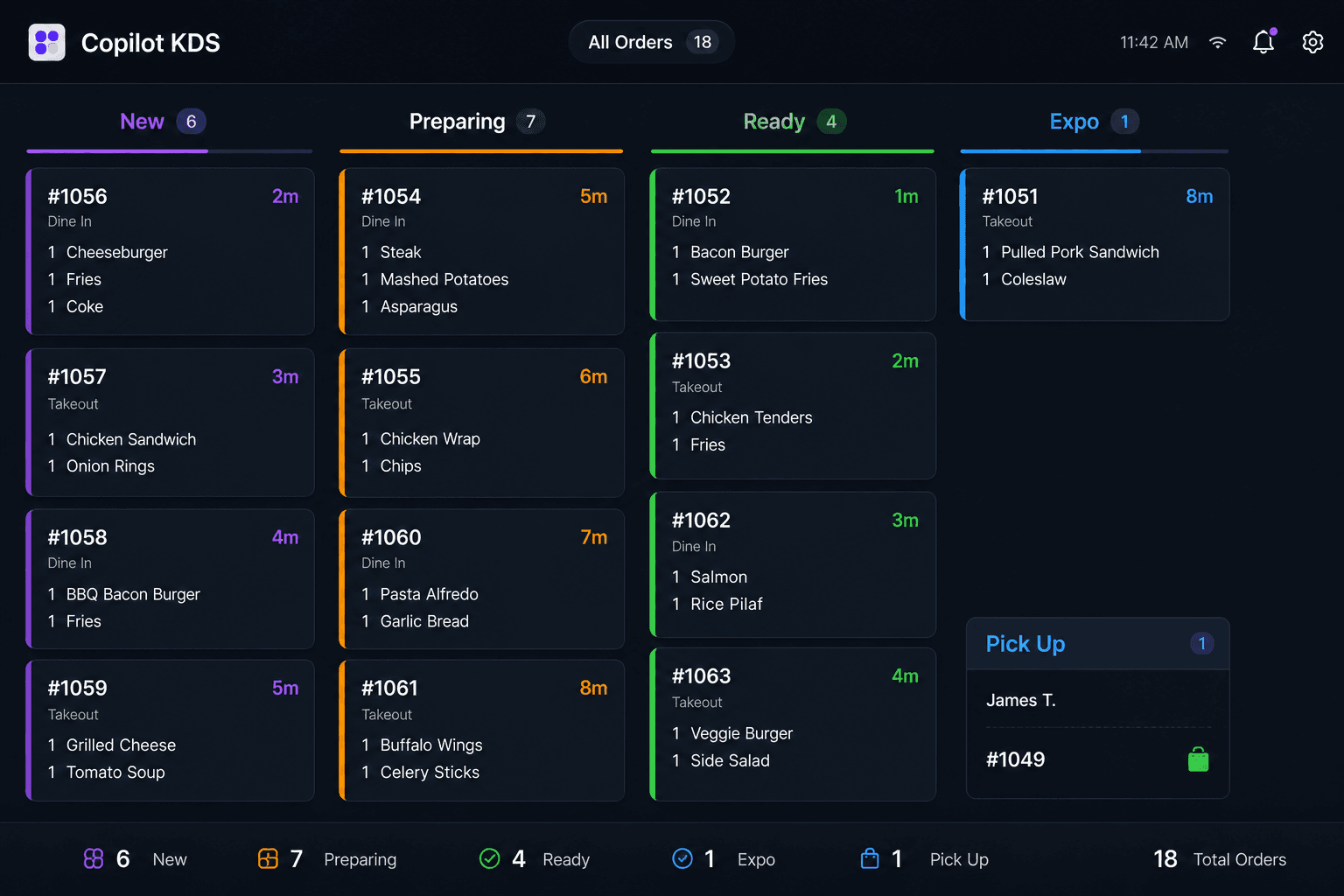
Live Orders
Keep every ticket in view.
Give kitchen teams a clear, shared view of active orders so they can prioritize work and move service forward.
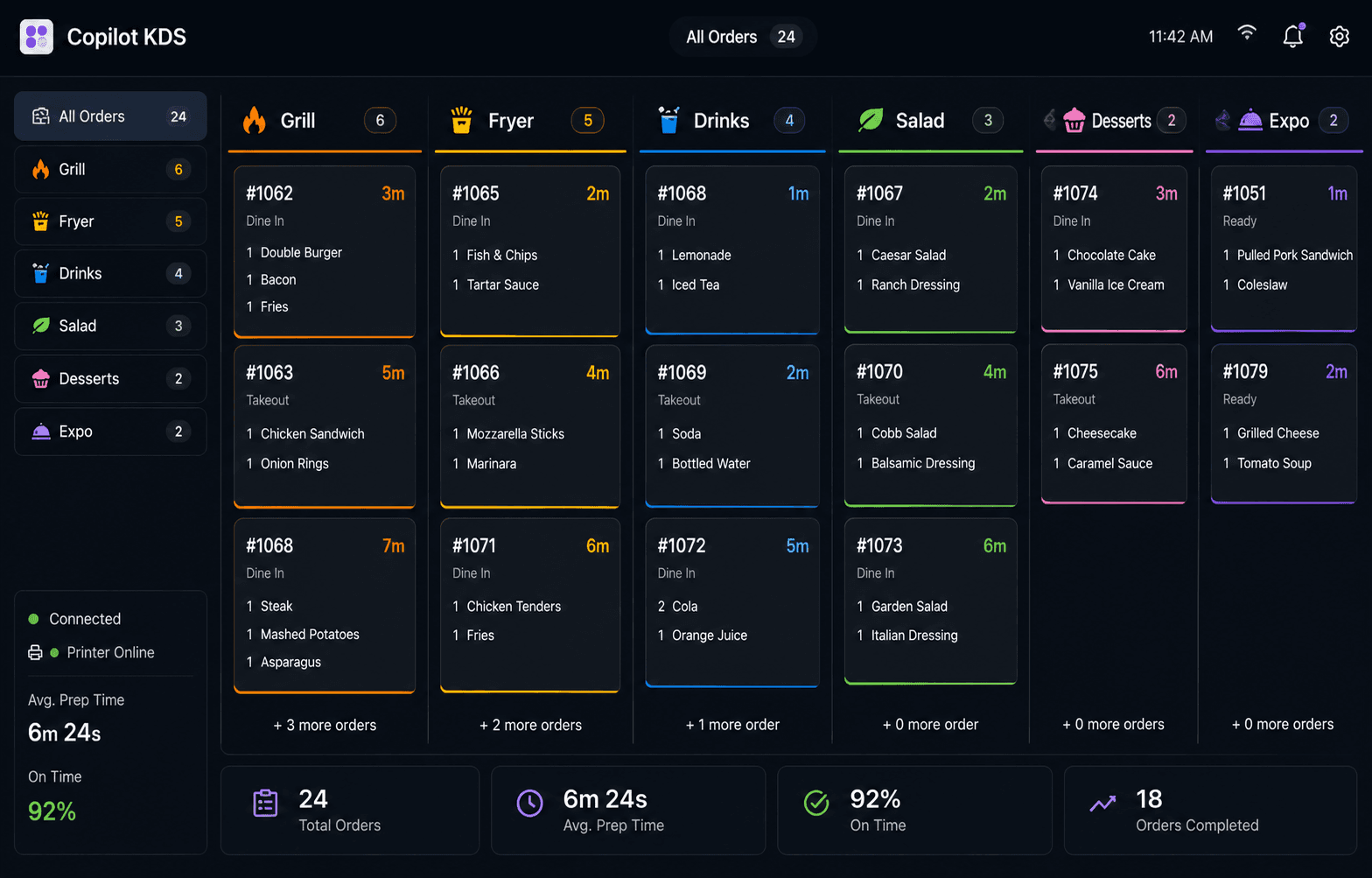
Station Routing
Send work where it belongs.
Organize production across prep, cook, and expo stations while keeping the full kitchen synchronized.
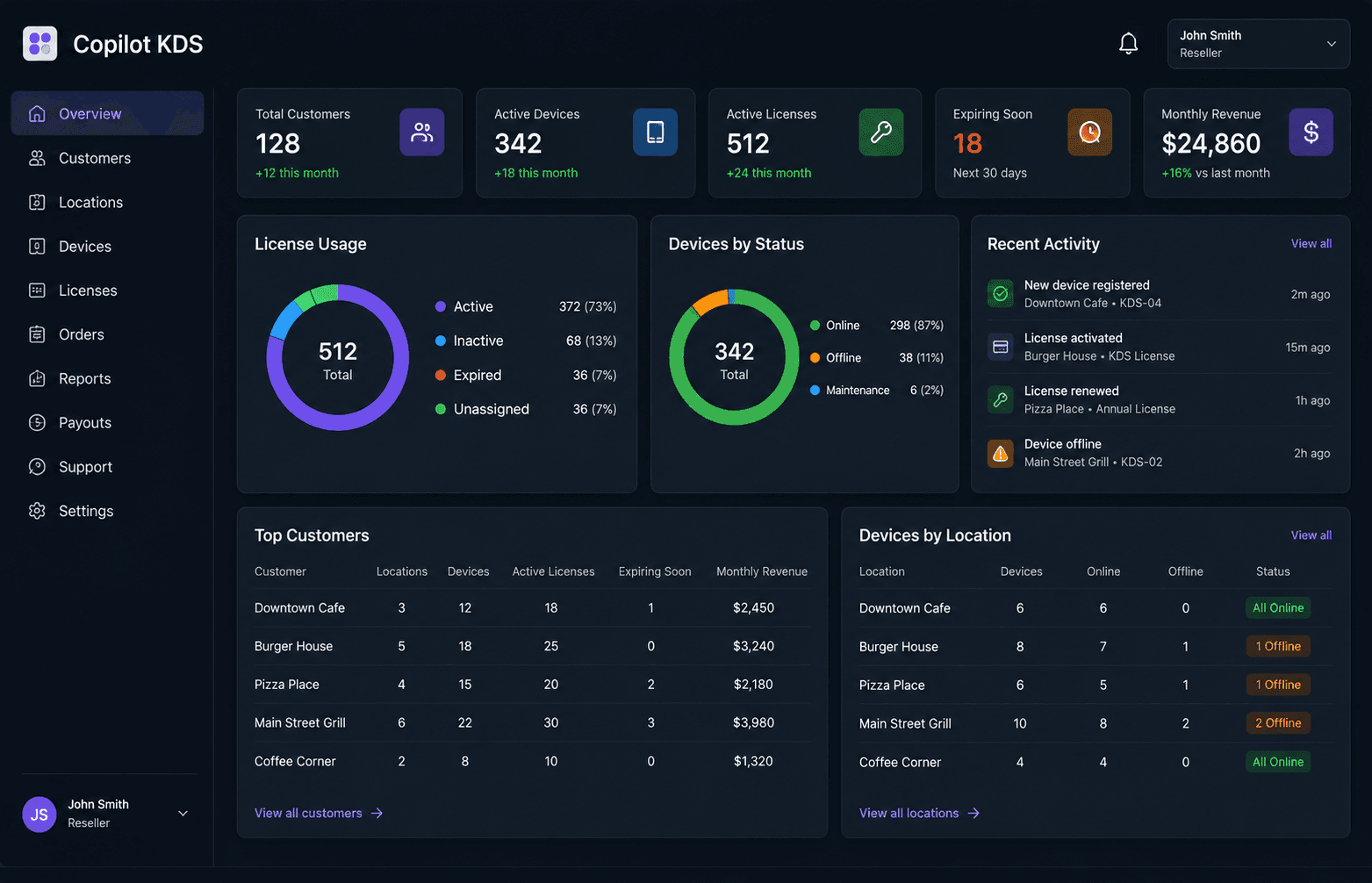
Deployment Management
Stay organized beyond the kitchen.
Give dealers visibility into license inventory, activation progress, and customer installations.